






Last updated: August 2026
Checking your balance with First Abu Dhabi Bank sounds like it should be one simple process, but it isn't — and that is where most people get stuck. FAB serves two very different groups. If you hold a FAB bank account, you use FAB Mobile or online banking. If you receive your salary on a Ratibi prepaid card, those apps often won't show your money at all, and you need a completely different route. This guide covers both, so you can go straight to the method that actually works for your card.
FAB Balance Check: Quick Answer
| What you hold | Fastest way to check your balance |
| FAB bank account | FAB Mobile app, or the online banking portal |
| Ratibi prepaid salary card | Magnati prepaid card enquiry portal, or any FAB ATM |
| Other FAB prepaid card | Magnati prepaid card enquiry portal, or ATM |
| No smartphone or internet | FAB ATM, or phone banking |
First, Which Type of FAB Customer Are You?
This one question saves most people a wasted trip to the bank. Getting it wrong is the single most common reason a balance check fails.
FAB Account Holder
You opened an account at a FAB branch or online, you have an IBAN, and you can log in to FAB Mobile or internet banking. Salary, savings and current accounts all fall into this group.
Ratibi Prepaid Card Holder
Your employer handed you the card — you never opened an account yourself. According to FAB, Ratibi is a payroll solution for employees earning up to AED 5,000 who receive salaries without needing a bank account. There is no IBAN, no minimum balance, and no monthly charge. It is widely used across construction, hospitality, retail and domestic work, and it is fully compliant with the UAE Wages Protection System (WPS).
If you are in the second group, the FAB Mobile app may show nothing or only partial details. Skip ahead to the Ratibi section below.
- More to read: Mahzooz Draw
Why Regular Balance Checks Matter
Keeping a close eye on your balance is more than a good habit — it is basic financial protection. Regular checks let you:
- Confirm your salary has actually been credited under WPS
- Spot unauthorised transactions early, while they can still be disputed
- Know your exact balance before sending a remittance home
- Avoid a card being declined at the till
- Plan rent, bills and groceries around what is really available
Methods to Check Your FAB Bank Account Balance
1. FAB Mobile Banking App
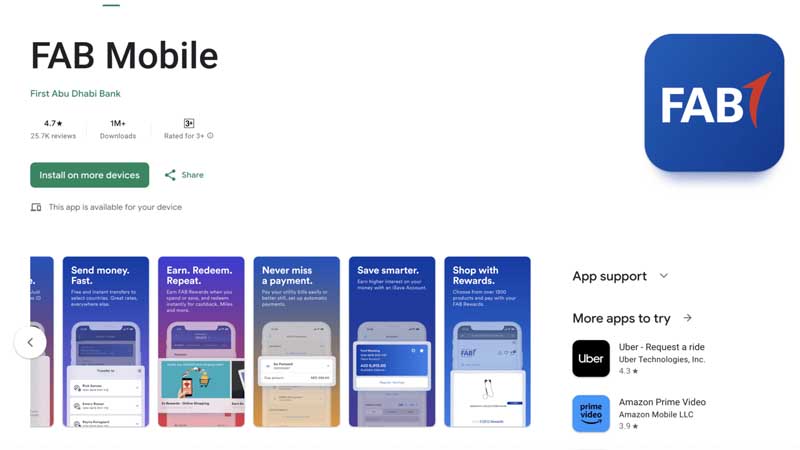
The FAB Mobile app is the fastest option for account holders:
- Download the app from the App Store or Google Play
- Log in with your username and password, or Face ID or fingerprint
- Your balance appears on the main dashboard
- Tap any account for transaction history and full details
Note for prepaid cardholders: if you hold a Ratibi or other prepaid card, the app may show limited information or not list your card at all. Use the Magnati portal or an ATM instead.
- More to read: UAE Public Holidays 2024
2. FAB Online Banking Portal
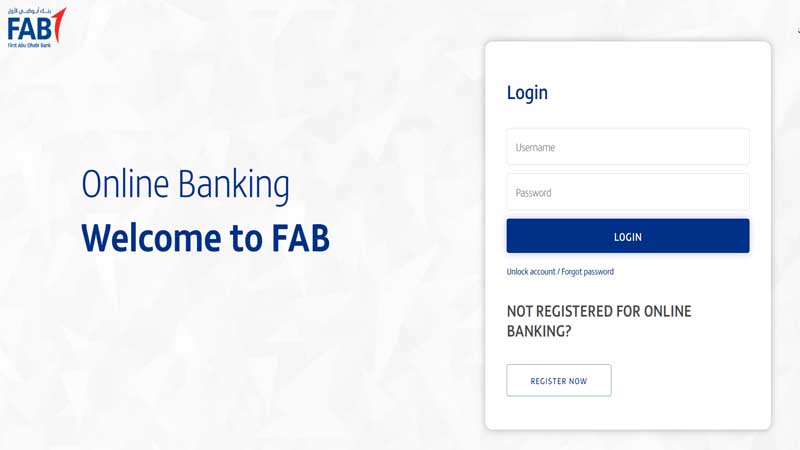
Better suited to desktop users and anyone managing several accounts:
- Visit the official FAB website
- Click the "Login" button for personal online banking
- Enter your username and password
- Your account summary displays balances for every linked account
- Click into any account for recent transactions and statements
3. ATM Balance Inquiry
Works for account holders and prepaid cardholders alike, with no internet needed:
- Insert your FAB debit or prepaid card into the ATM
- Choose your language, then enter your PIN
- Select "Balance Inquiry" from the menu
- Your available balance appears on screen
- You can usually print a mini-statement as well
FAB cardholders get free 24/7 access to FAB's ATM and cash deposit machine network. Using another bank's ATM may attract a fee, so use a FAB machine where you can. Find your nearest one through the FAB branch and ATM locator.
4. SMS Banking
SMS banking lets you check your balance without internet access — useful on a basic handset. Your mobile number must be registered with FAB for the card or account first.
The exact keyword and shortcode differ depending on whether you hold an account or a prepaid card, and they are occasionally updated. Rather than relying on a number copied from a blog, confirm the current format with FAB customer care or in your welcome pack. Your telecom operator may charge a small fee per message; FAB does not charge for the enquiry itself.
5. Phone Banking
If you would rather speak to someone, or nothing else is working:
| Service | From inside the UAE | From outside the UAE |
| FAB customer care | 600 52 5500 | +971 2 681 1511 |
| Ratibi card service | 600 52 2298 | +971 2 499 6279 |
Have your card and Emirates ID ready — you will be asked to verify your identity before any balance is given out.
Ratibi Card Balance Check: The Complete Method
This is the section most guides leave out, and it is the one thousands of UAE workers actually need. A Ratibi card is a prepaid payroll card, not a bank account, so the standard banking app is not the right tool.
Option 1: Magnati Prepaid Card Enquiry Portal (Recommended)
FAB links to this portal directly from its official Ratibi page for existing cardholders. It is free, needs no registration, and works in any phone or computer browser. Magnati is FAB's payments business, so this is an official channel rather than a third-party site.
- Open the Ratibi Prepaid Card Balance Enquiry portal in your browser
- Enter the last 4 digits of the 16-digit card number printed on the front
- Enter your Card ID — this is a separate number, not the card number
- Type the security code shown on screen
- Submit, and your available balance and recent transactions appear immediately
Where to find your Card ID: it is usually printed on the card itself or on the paper carrier your employer gave you with it. If you have lost both, your HR or payroll department can help, or you can visit a FAB branch with your Emirates ID. Entering the 16-digit card number in the Card ID field is the most common reason this portal returns an error.
Option 2: FAB ATM
Any FAB ATM will show your Ratibi balance free of charge, using the same steps as the ATM method above. This is the most reliable option if you have no smartphone or no data, and it works at any hour.
Option 3: Ratibi Helpline
Call 600 52 2298 from inside the UAE, or +971 2 499 6279 from abroad, and follow the prompts for a prepaid card balance enquiry. Keep your card and Emirates ID to hand.
Ratibi Card Benefits Worth Knowing
Many cardholders never realise what the card includes. According to FAB's official Ratibi page, the card carries:
- Free personal accident insurance — in the event of accidental death or permanent total disability, cover of five times monthly salary up to a maximum of AED 25,000
- Hospitalisation cover following an accident of at least 24 hours — AED 50 daily cash benefit, up to 30 days and a total of AED 1,500
- Repatriation of mortal remains — actual expenses up to AED 5,000
- Free SMS alerts each time a salary is credited
- No minimum balance requirement and no monthly charges for cardholders
- Usable at Visa and Mastercard networks worldwide, in store and online
- You can set your own PIN at a FAB ATM
Salary Not Showing? What to Check
A zero balance on payday is alarming, but it usually has a simple explanation. Work through these in order before assuming something is wrong with your card.
- Give it 24 to 48 hours. WPS salary credits are not always instant once your employer submits the payroll file.
- Check the calendar. Weekends and UAE public holidays push processing to the next working day.
- Try a second method. If the portal shows nothing, check at an ATM. A display problem is not the same as a missing salary.
- Ask your employer's HR or payroll team. They can confirm whether the salary file was submitted and on which date. The bank cannot credit money the employer has not sent.
- Call the Ratibi helpline on 600 52 2298 if HR confirms payment was sent but nothing has arrived.
If your employer repeatedly fails to pay wages, that is a labour matter rather than a banking one. Non-payment under the Wages Protection System can be raised with the UAE Ministry of Human Resources and Emiratisation (MOHRE).
Common Errors and How to Fix Them
| Problem | What to do |
| Portal rejects your details | Check you entered the Card ID, not the 16-digit card number, and only the last 4 digits of the card |
| Portal loads slowly near payday | Traffic peaks at month end — wait a few minutes, or use an ATM instead |
| Card not visible in FAB Mobile | Prepaid cards are not fully supported in the app; use the Magnati portal or an ATM |
| Forgotten online banking password | Use "Forgot Password" on the login page |
| App crashing or not loading | Update the app, or uninstall and reinstall it |
| No SMS received | Your mobile number may not be registered — confirm with FAB customer care |
| Balance looks wrong | Pending transactions may not have settled; if it persists, contact FAB |
| Card swallowed by an ATM | Confiscated cards are destroyed by the receiving bank; your employer must request a replacement |
Setting Up FAB Mobile Banking
For account holders, registering once makes every future check a few seconds' work:
- Download the FAB Mobile app from the official App Store or Google Play listing
- Open it and select "Register"
- Enter your account or card details for verification
- Create a username and password
- Set up a PIN or biometric login
- Verify your identity with the SMS code sent to your registered number
- Once verified, your balance is visible on the dashboard
FAB Salary Account Balance Check
If your salary goes into a full FAB account rather than a Ratibi card, any of the account methods above will work. Three things make it easier:
- Turn on balance alerts so you are notified the moment your salary lands
- Use the mobile app or online portal to view your salary credit history
- Check a day or two after your expected salary date, allowing for WPS processing time
Security Tips for Online and Mobile Banking
Balance-check pages are a favourite target for scammers, so a few habits matter:
- Only enter card details on bankfab.com or the official Magnati portal — check the address bar every time
- FAB will never ask for your full PIN, password or OTP by phone, SMS or email. Anyone who does is a fraudster
- Use a strong, unique password for banking
- Enable two-factor authentication and biometric login
- Avoid public Wi-Fi for banking, or use a trusted VPN
- Keep your app and phone operating system updated
- Log out when you finish, especially on a shared device
- Report a lost card or suspicious transaction immediately — speed matters for disputes
Understanding Your FAB Bank Statement
Once you can see your balance, the statement tells you how you got there:
- Opening balance — what you held at the start of the period
- Deposits — money credited, including salary
- Withdrawals — money taken out
- Fees — any charges applied
- Interest — anything earned on the balance
- Closing balance — what remained at the end of the period
Watch the difference between available balance and ledger balance. Available balance is what you can actually spend right now; the ledger figure may still include transactions that have not yet settled. A card declined despite an apparently healthy balance is almost always this.
Frequently Asked Questions
How do I check my Ratibi card balance online?
Open the Magnati prepaid card enquiry portal that FAB links from its official Ratibi page, enter the last four digits of your card number and your Card ID, complete the security check and submit. Your available balance and recent transactions appear straight away. The service is free and needs no registration.
What is the difference between a Ratibi card and a FAB bank account?
A Ratibi card is a prepaid payroll card issued through your employer for employees earning up to AED 5,000. It has no IBAN, no minimum balance and no monthly fee. A FAB bank account is a full account you open yourself, with access to loans, transfers and the complete range of banking services.
Why can't I see my Ratibi card in the FAB Mobile app?
FAB Mobile is built for bank account holders. Prepaid cards may show limited details or not appear at all. Use the Magnati enquiry portal or a FAB ATM instead.
Is there a fee for checking my FAB balance?
Checking through the app, online banking, the Magnati portal or a FAB ATM is free. Other banks' ATMs may charge, and SMS enquiries may attract a standard message charge from your telecom operator. Printed statements can also carry a fee.
My salary hasn't arrived — what should I do?
Allow 24 to 48 hours after your employer submits payroll, and account for weekends and public holidays. Verify using a second method such as an ATM. If it still has not arrived, contact your HR or payroll team to confirm the salary file was submitted, then call the Ratibi helpline on 600 52 2298 if needed.
Can I check my FAB balance while travelling abroad?
Yes. The app, online banking and the Magnati portal all work anywhere with an internet connection. From outside the UAE, call +971 2 681 1511 for general customer care or +971 2 499 6279 for Ratibi card service.
What is the FAB customer care number?
Within the UAE, call 600 52 5500 for general customer care or 600 52 2298 for Ratibi card service. From outside the UAE, the numbers are +971 2 681 1511 and +971 2 499 6279 respectively.
Can I check the balance of several FAB accounts at once?
Yes. Accounts linked to your online or mobile banking profile all appear on a single dashboard.
How accurate is the balance shown online?
It is generally current, but recent transactions can take time to settle. Rely on the available balance rather than the ledger balance when deciding what you can spend.
Where do I find my Ratibi Card ID?
It is usually printed on the card or on the paper carrier supplied with it, and it is different from the 16-digit card number. If both are lost, ask your HR or payroll department, or visit a FAB branch with your Emirates ID.
Final Word
The right method depends entirely on what you hold. Account holders are best served by FAB Mobile or online banking. Ratibi and prepaid cardholders should use the Magnati enquiry portal or a FAB ATM, both free and available around the clock. Whichever route you take, use only official FAB channels — and if your salary has not appeared, start with your employer's payroll team before assuming the card is at fault.
This guide is for general information only and is not financial advice. Card features, contact numbers and charges can change — always confirm current details on bankfab.com or with FAB customer care.









 Pool Tiles


